Teaching online involves more than starting a call. You need to prepare materials, respond when a learner gets stuck, keep student work organized, and know where to begin the next lesson.
SuperTeacher Classroom brings lesson preparation, interactive activities, student materials, and live teaching into one connected workspace. It is designed for independent educators who want their classroom to fit their teaching workflow, rather than treating each lesson as an isolated meeting.
If you teach recurring students, use an existing curriculum, or run back-to-back classes, its most useful features address a practical question: how can you keep teaching without repeatedly searching, rebuilding, or switching tools?
Key Takeaways
- Your private Prep Room keeps lesson setup within the same workspace you use for teaching.
- Student profiles, boards, and bookmarks help you maintain continuity between lessons.
- You can adapt existing materials with interactive activities instead of rebuilding every lesson.
- Classroom connects live teaching with your students, bookings, lessons, and wider business organization.
Table of Contents
- What Is SuperTeacher Classroom?
- Keep Each Student’s Learning Organized Across Lessons
- Make Your Existing Lessons More Interactive
- Prepare Your Teaching Space Before Class Starts
- Respond to Changes Without Losing the Lesson’s Focus
- Who Can Use SuperTeacher Classroom?
- Connect Classroom Work With Your Teaching Business
- Common Mistakes to Avoid
- A Useful Starting Workflow
What Is SuperTeacher Classroom?
SuperTeacher Classroom is an online teaching space within the wider SuperTeacher platform. You can use it to prepare lessons privately, work with students during class, and organize materials for future sessions.
Its classroom tools include:
- A private Prep Room for arranging your teaching materials before a lesson.
- Whiteboards and a text editor for preparing content, writing, and annotation.
- Interactive activities such as anagrams, reveal boxes, quizzes, and fill-in-the-blank exercises.
- Browser-based teaching for exploring websites and using web-based curriculum with students.
- Student profiles, boards, materials, and work for maintaining a personalized teaching space.
- Bookmarks for returning to a particular page or board
- and much more!
The classroom also connects with your students, bookings, lessons, and organization in SuperTeacher. That connection is central to its purpose: keeping the teaching experience and the surrounding business workflow together.
Keep Each Student’s Learning Organized Across Lessons
When you work with several students, preparation is only part of the challenge. You also need continuity. What did this learner complete? Which material were you using? Where should you resume?
SuperTeacher Classroom lets you build a teaching space around each student, with their own profile, boards, materials, and work. Instead of opening an identical blank space for every session, you can organize the resources around the learner and the work you are doing together.
Use student boards for purposeful personalization
Personalization does not have to mean creating a completely new lesson every time. You can keep your core material while preparing different practice for different students.
For example, if two learners use the same reading lesson, you might prepare vocabulary practice for one and a writing task for the other. The underlying resource stays the same, but the way you use it changes according to each student’s needs.
A useful organizational approach is to keep three things easy to locate:
- The current material: the reading, image, website, or board you are working through.
- The student’s work: writing, annotations, and other lesson content you need to revisit.
- The next starting point: the page or board you want to return to.
Bookmark a precise place to resume
You can bookmark a specific page or board rather than relying on memory alone. This is particularly useful when your teaching schedule contains consecutive classes.
Before you finish a session, identify the exact place you want to continue. A bookmark gives you a clear starting point for the next lesson with that student, without making the opening minutes a search through previous materials.
Make Your Existing Lessons More Interactive
You do not need to replace your curriculum to use SuperTeacher Classroom. You can take materials you already teach with and add interaction where it serves a learning purpose.
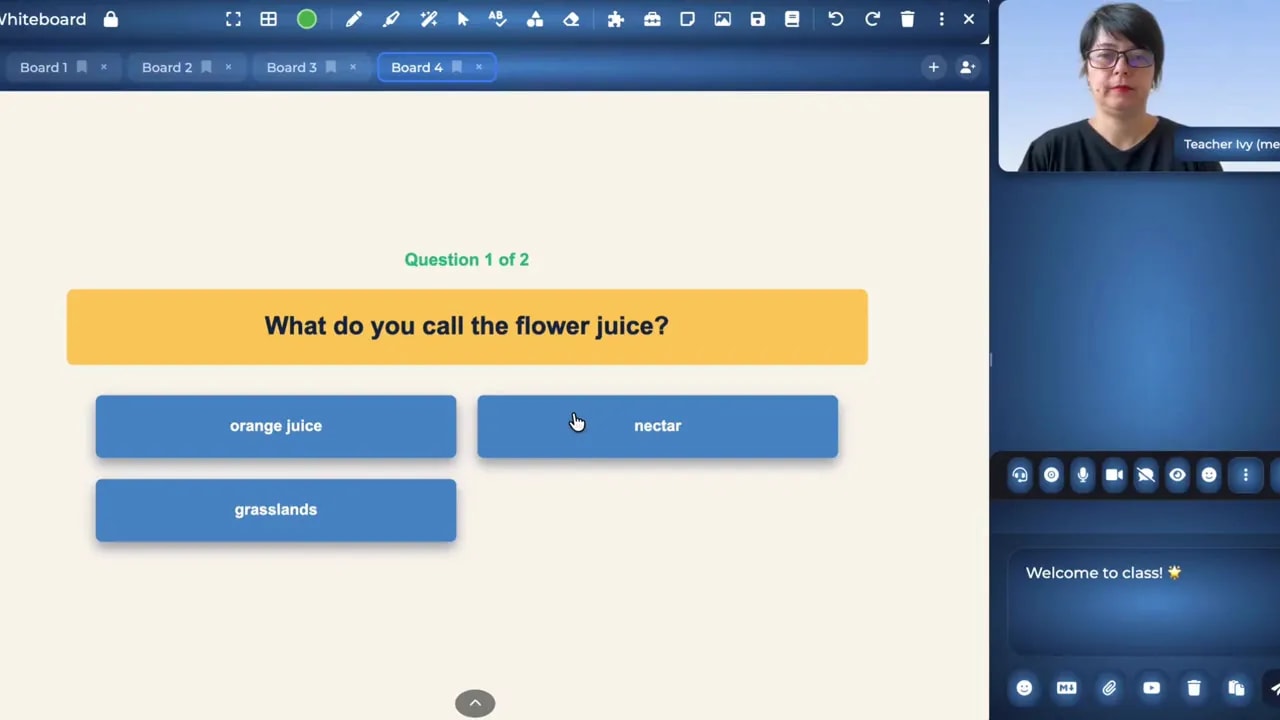
A reading passage, for instance, can support more than reading aloud. You can use its image for a reveal activity, turn selected vocabulary into an anagram, add annotation, or create a short comprehension quiz.
Choose the activity according to the learning need
| What your student needs | How you can adapt the material |
|---|---|
| More practice with vocabulary | Turn selected words into an anagram activity. |
| A reason to describe or predict | Use a reveal box to uncover an image gradually. |
| A quick comprehension check | Create a quiz based on the reading or discussion. |
| Practice completing a sentence | Use a fill-in-the-blank exercise with lesson content. |
| Support with writing or close reading | Add writing, annotation, and focused questions. |
The important decision is not which activity looks most entertaining. It is which activity gives your learner another useful way to work with the content.
Example: Extend one reading lesson without rebuilding it
- Start with your existing passage. Read and discuss its main ideas.
- Select vocabulary that needs attention. Use an anagram for targeted word practice.
- Reuse an image from the lesson. Reveal it gradually and ask the student to describe what they notice.
- Check understanding. Add a brief quiz or ask the student to annotate relevant information.
- Adapt the follow-up. Use writing or speaking depending on what the learner needs that day.
This approach gives you several ways to teach the same resource without requiring a new lesson for every session.
Prepare Your Teaching Space Before Class Starts
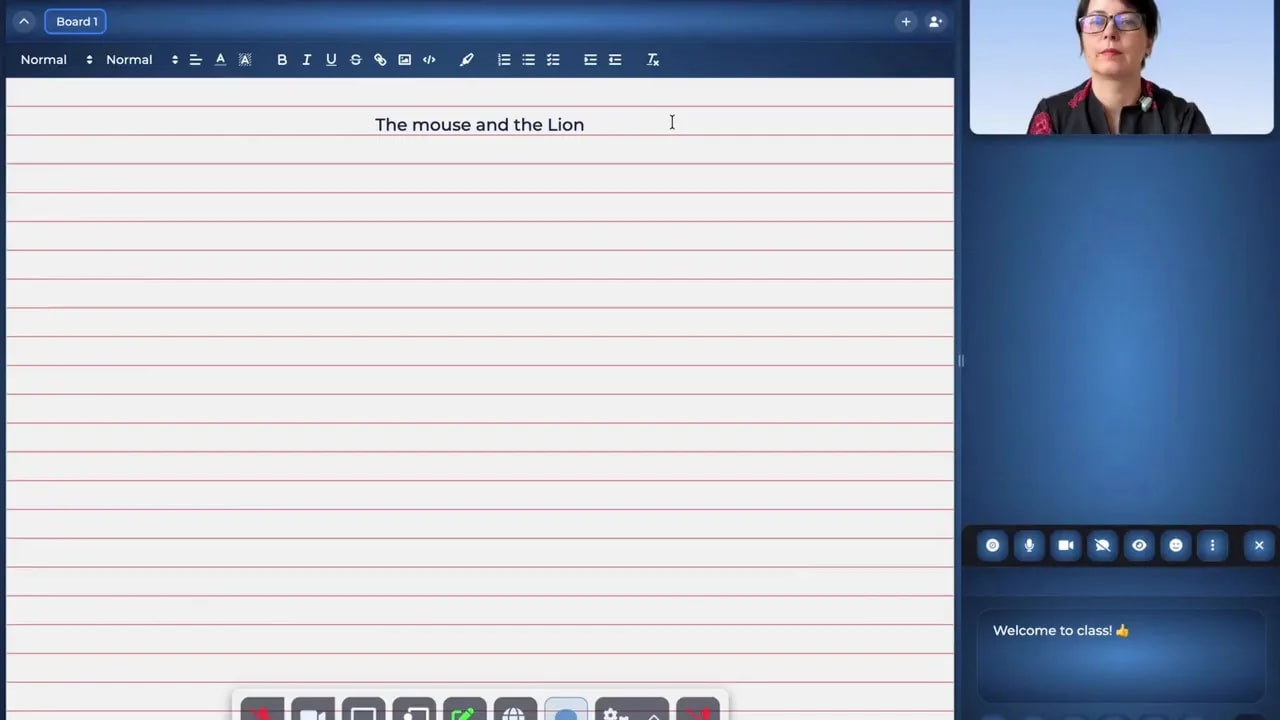
Your private Prep Room gives you a place to arrange the lesson before a student arrives. You can enter it to prepare a particular lesson or student’s materials without doing that setup during live teaching time.
You can prepare your whiteboard, write notes in the text editor, organize browser tabs, add resources, and create interactive activities. When the lesson begins, the content you prepared is already available.
A practical Prep Room checklist
- Set up the main task: prepare the board, text, or resource you intend to use.
- Arrange supporting websites: organize the browser tabs needed for the lesson.
- Prepare notes: write the prompts or explanations you want available.
- Add targeted practice: create an activity connected to the lesson objective.
- Keep an alternative ready: prepare a comprehension check or extra practice task if the lesson changes.
The benefit is not simply having materials ready. It is preparing them in the same teaching environment where you will use them, rather than making lesson setup a separate workflow.
Respond to Changes Without Losing the Lesson’s Focus
Even a carefully prepared lesson can change direction. Your student may finish early, struggle with a particular concept, or ask a question that needs a different example.
Built-in interactive activities let you adjust the task without stopping to search for another resource elsewhere. You can create a quick quiz, introduce vocabulary practice, or use an image activity while keeping the work connected to the lesson.
If your student finishes early
Use the remaining time to extend the learning. You might check comprehension, revisit vocabulary, or ask the student to explain an image. The goal is meaningful practice, not simply occupying spare minutes.
If your student needs another explanation
Change how the student interacts with the material. A word activity, annotation task, or focused question can give you another way to approach the same difficulty.
If you need an online example
You can explore a website with your student, discuss what you find, and return to your lesson. Browser-based teaching also supports using a web-based curriculum such as Abridge Academy.
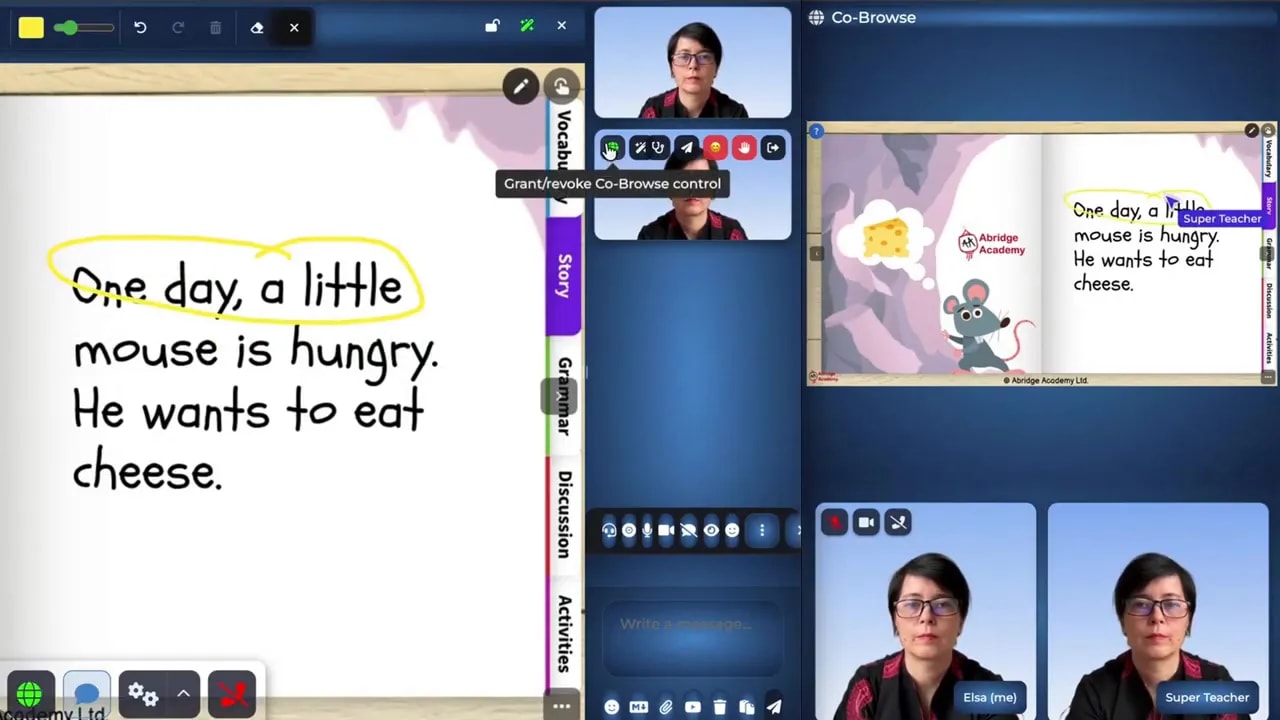
This gives you room to follow a useful question without treating the internet as a completely separate teaching space.
Who Can Use SuperTeacher Classroom?
You can shape the classroom around different learners and teaching formats. Its intended uses include children and adults, one-to-one lessons, and group teaching.
You can use the workspace for writing, speaking, reading, vocabulary, or other areas of learning. It is also intended to support coaches and mentors, rather than limiting you to one subject or teaching style.
To assess whether it fits your practice, consider how you normally teach:
- Do you reuse materials but adapt the practice for each learner?
- Do you need to keep student work available between sessions?
- Do you use websites or web-based curriculum during lessons?
- Do you frequently move between consecutive classes?
- Would preparing and teaching in the same workspace simplify your routine?
These questions help you evaluate the classroom against your actual workflow, rather than choosing tools solely by the length of their feature list.
Connect Classroom Work With Your Teaching Business
As an independent educator, you manage more than lesson delivery. Your students, bookings, preparation, and follow-up all belong to the same working routine.
Because Classroom is part of SuperTeacher, it connects teaching with those wider organizational tasks. The aim is to reduce how much of your business sits across disconnected tools and keep more of your work together.
The distinction matters: an online classroom can support the lesson itself, while a connected platform can also support the organization around that lesson.
Common Mistakes to Avoid
- Treating the classroom as only a call interface. Make use of preparation, student boards, and continuity tools, not just the live session.
- Adding games without a learning purpose. Choose activities that reinforce vocabulary, comprehension, writing, or another specific need.
- Rebuilding every lesson unnecessarily. Adapt useful existing resources before creating replacements.
- Leaving your return point unclear. Bookmark the page or board you want to revisit before moving to your next class.
- Assuming every learner needs the same interaction. Adjust the task to the student, even when you reuse the same material.
A Useful Starting Workflow
Start with one student and one familiar lesson. Prepare the material in your Prep Room, add one purposeful interactive task, and organize the relevant work around that student. At the end of the session, bookmark where you want to continue.
The central value of SuperTeacher Classroom is a connected teaching workflow: you can prepare, adapt, teach, and return to student work without treating those activities as unrelated tasks.
Check out SuperTeacher
Join 2,000+ Happy Educators – Start Teaching Independently Today!
Leave a Reply